โœฆ Lost it? Scan it. Find it.

Lost it?
Scan it.
Find it.

Put a personalised QR on the things that matter. If someone finds them, they can scan, connect with you and help get them home.
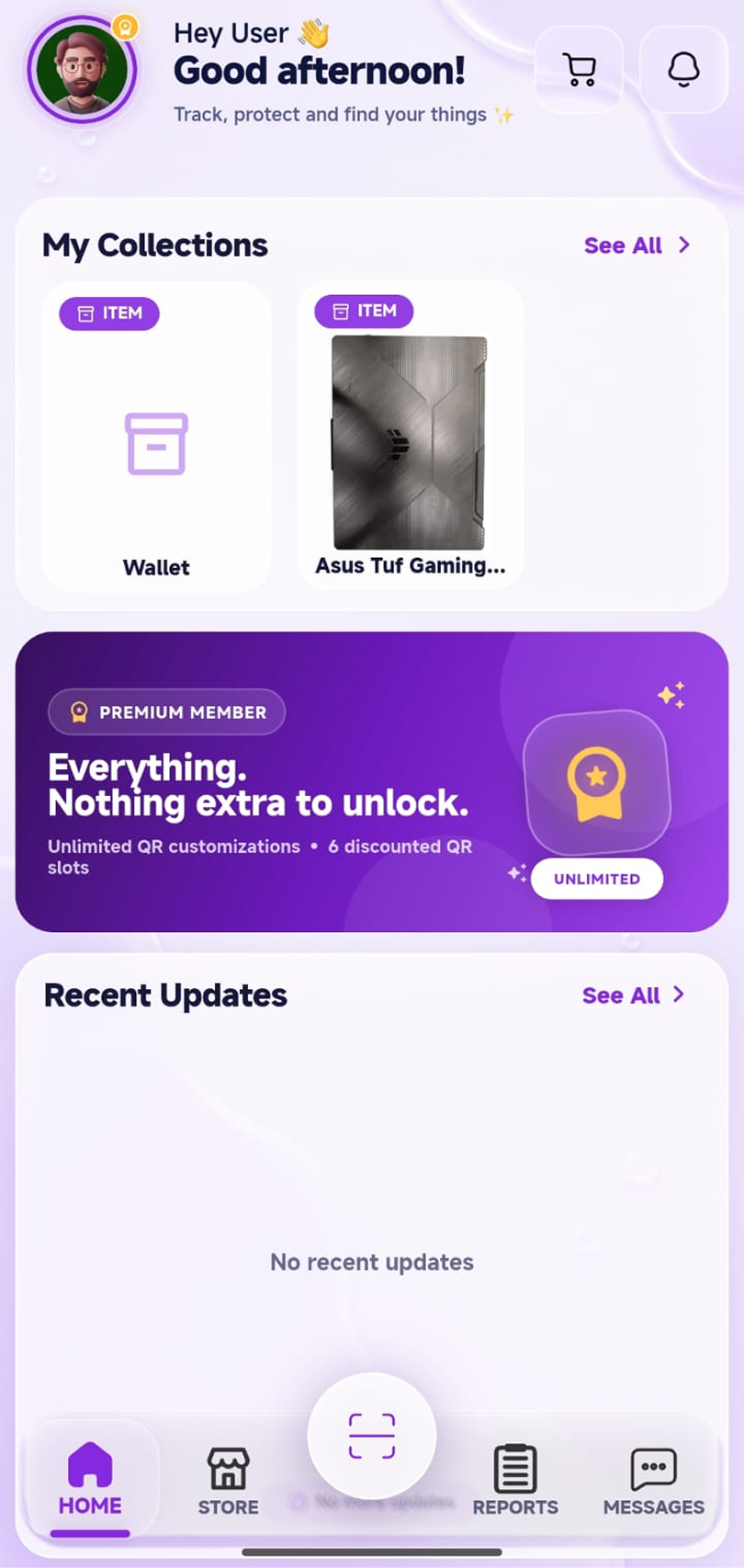
ezyFind home screen
๐Ÿ“ฑ QR scanned
๐Ÿ’ฌ Finder connected
โœ“ Owner notified
How it works

Three simple steps.

Because finding a lost wallet should not require a twelve-step investigation and a corkboard covered in red string.

01

Add what matters

Create an item in ezyFind and attach its personalised QR sticker, keychain or another QR product.

02

Someone scans it

A finder scans the QR and gets a secure route to contact the owner without exposing the owner's phone number.

03

Connect & return

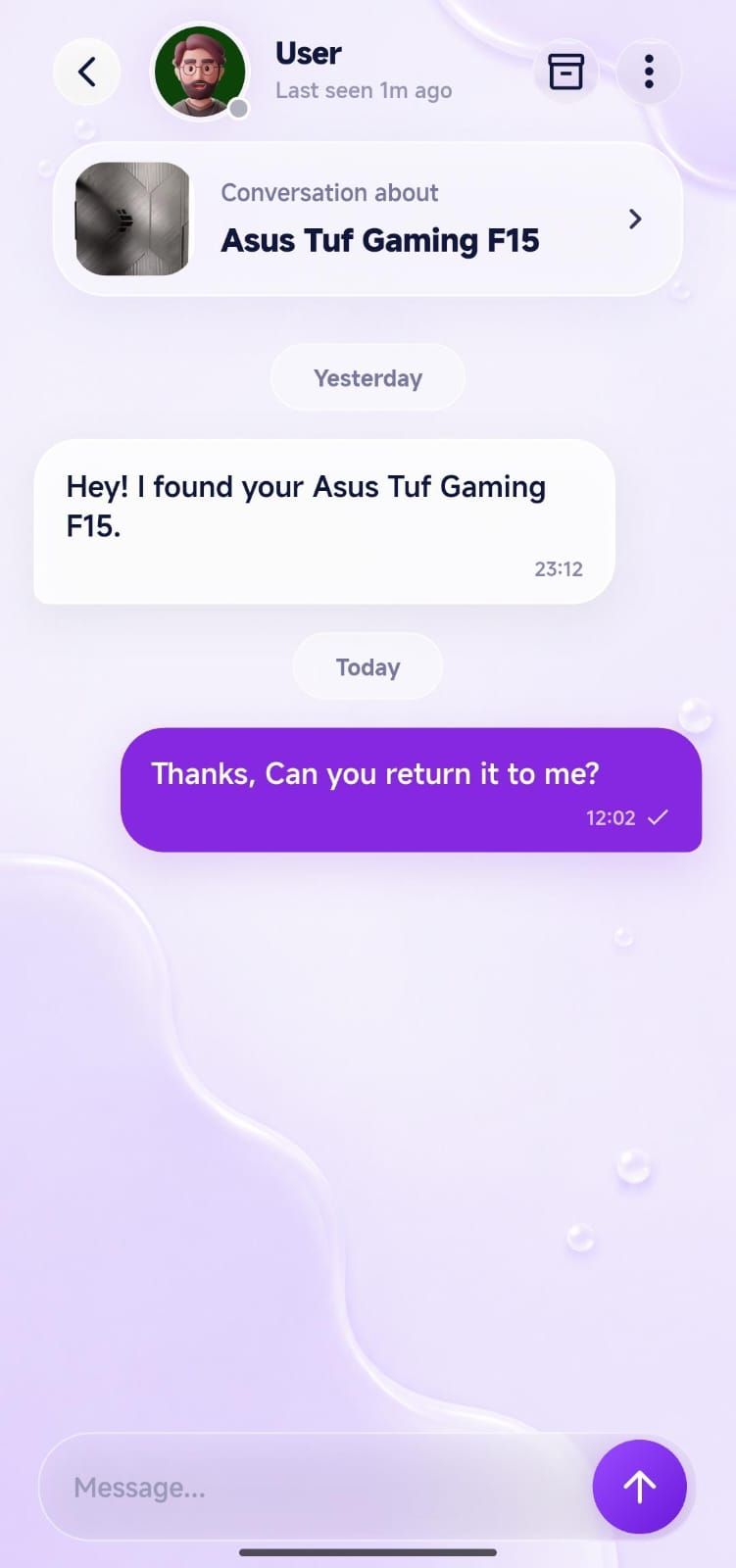
The owner gets the update and can chat with the finder inside ezyFind to arrange the return.

Inside ezyFind

Your whole recovery flow, in one place.

ezyFind is more than a QR generator. Manage your collection, see nearby reports, chat with finders and personalise your QR experience from the same app.

โœ“Manage your registered items
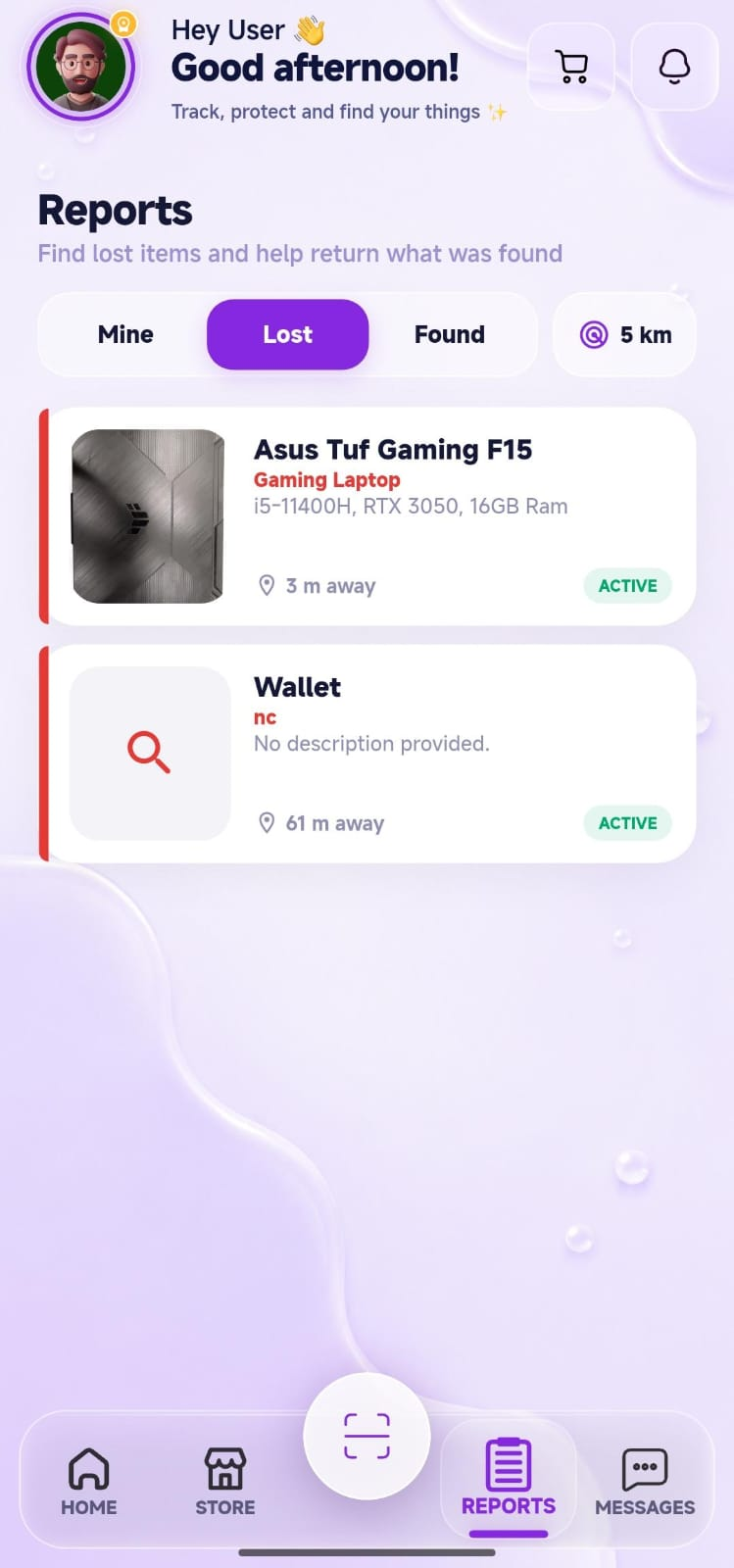
โœ“View lost & found reports
โœ“Chat privately with a finder
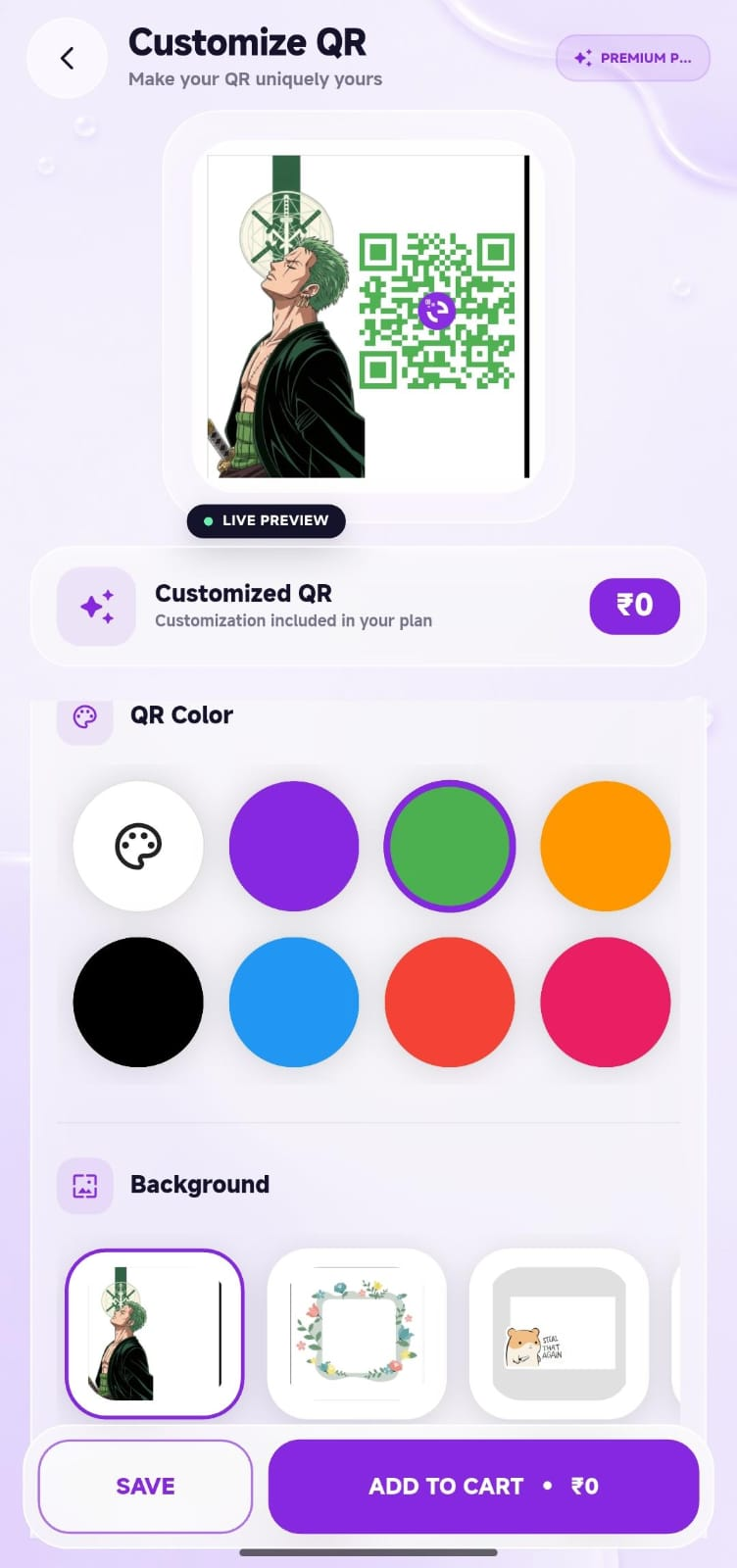
โœ“Customise your QR design
ezyFind home ezyFind chat ezyFind reports
Two sides. One goal.

Built for owners and finders.

Make the next step obvious for the person who lost something and the person who found it.

For owners

Less panic. More possibilities.

Register your items once. If one goes missing, its QR creates a clear contact path back to you.

๐Ÿท๏ธ Personalised QR attached to an item
๐Ÿ”” Get notified about a scan/update
๐Ÿ’ฌ Continue the conversation in-app
For finders

Scan it. Help it get home.

A finder does not need to hunt for the owner's personal details. The QR provides the next step.

๐Ÿ“ท Scan the QR
๐Ÿ“ Share useful finding details
๐Ÿค Contact the owner through ezyFind
Made for more

Not just for wallets.

ezyFind can be used for everyday belongings and, with appropriate supervision and safeguards, as an identification aid for pets and people.

๐ŸŽ’

Belongings

Bags, wallets, keys, luggage, bottles, gadgets and all the other objects humans somehow manage to misplace.

๐Ÿพ

Pets

Use a QR on a collar or tag so someone who finds a pet has a simple way to reach its owner.

๐Ÿง“

Senior citizens

An identification QR can be an additional aid for reconnecting a separated senior with family or a caregiver.

๐Ÿง’

Children

For supervised use, an identification QR can provide a contact path to a parent or guardian if a child becomes separated.

Safety matters: ezyFind is a reconnection and identification aid, not an emergency service or a substitute for supervision, appropriate identification, medical information or local emergency services.
ezyFind QR customization screen
Make it yours

QR codes don't have to look boring.

Personalise your QR with colours and designs, then turn it into physical products that fit your everyday life.

โœฆLive QR preview
โœฆMultiple colours and backgrounds
โœฆQR stickers, keychains, clothes, covers & more
Why ezyFind

One tiny QR. A much easier way to reconnect.

Instead of putting your personal contact details on everything, ezyFind creates a bridge between the finder and the owner.

๐Ÿ” Privacy-mindedKeep personal contact details off your physical items.
โšก Quick to useA scan gives the finder an obvious next step.
๐Ÿ’ฌ In-app chatKeep the return conversation in one place.
๐ŸŽจ PersonalisedDesign a QR that actually feels like yours.
๐Ÿ›๏ธ Physical productsTurn ezyFind into something you can actually attach or wear.
๐Ÿ“ฒ One experienceItems, reports, notifications and messages together.
Meet ezyFind

Keep the important things findable.

From your backpack to your pet's collar, ezyFind gives people a simple way to turn a lost moment into a possible reunion.

Get ezyFind on Google Play โ†’